
You send a message, wait a few seconds, and then two little check marks appear. But what do they actually mean? Are they good? Does it mean your message was read? If you have ever stared at those tiny symbols wondering what is going on, you are in the right place.
Two check marks on a text message usually mean your message was successfully delivered to the recipient’s phone. But and this is important delivery is not the same as being read. The exact meaning of Read the complete guide here: The exact meaning of Two Check Marks depends on the app you are using. WhatsApp, Android, Samsung Messages, and iPhone all handle check marks a little differently.
2 Check Marks on Text
Two check marks are a universal messaging symbol used across most modern messaging apps. They tell you the status of your sent message — whether it reached the other person’s phone or not.
Here is a quick overview before we go deeper:
| Check Mark | General Meaning |
| ✓ (One gray check) | Message sent, not yet delivered |
| ✓✓ (Two gray checks) | Message delivered to recipient’s device |
| ✓✓ (Two blue checks) | Message delivered and read |
This simple system removes the guesswork from messaging. Instead of wondering if your text went through, the check marks update you in real time.
What Do Two Check Marks Mean on Android Text Messages?
On Android’s Google Messages app, a single gray check mark means your message was sent but not yet received by the other person. Two check marks mean the message has been successfully delivered.
Read messages also display two check marks, but unlike delivered messages that show hollow circles, read messages use filled or colored circles. So the shape of the circle next to those checks matters.
Think of it this way: two gray ticks = your message landed on their phone. Two colored ticks = they actually opened and read it.
What Do Two Check Marks Mean on WhatsApp?
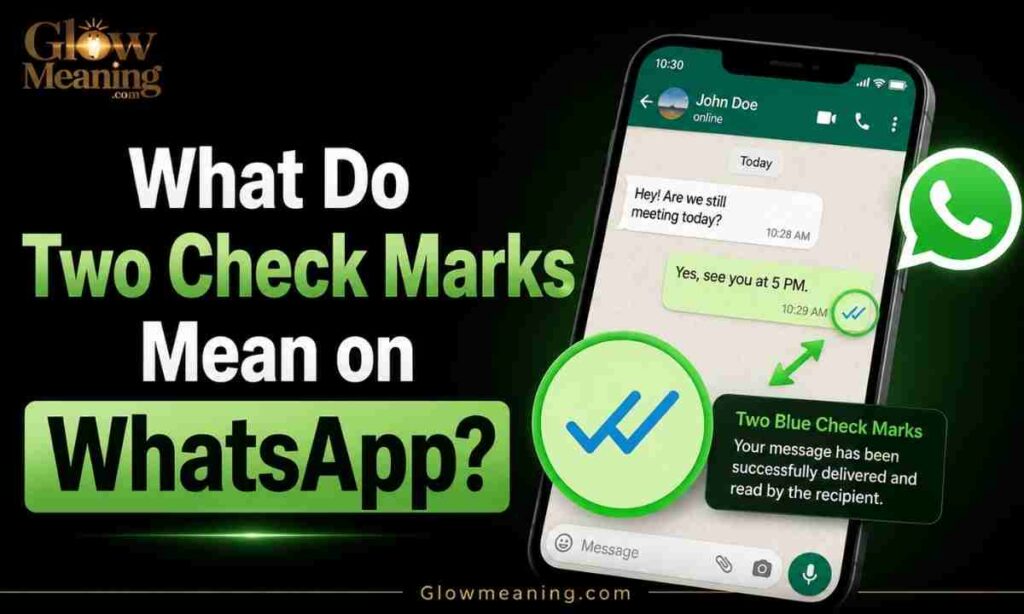
WhatsApp has the most well-known check mark system of any messaging app in the world. There are three possibilities: if the message was sent successfully, a grey check appears; if it was delivered to the recipient’s phone, two grey check marks appear; and if the recipient has read the message, two blue check marks appear.
If the person you are messaging is connected to the internet, the two check marks should appear almost immediately after sending.
One thing to keep in mind: if the recipient has read receipts turned off, the double check marks will remain gray even if they have already read your message. So blue checks are not guaranteed the other person can hide whether they have seen it.
What Do Two Check Marks Mean on Samsung Messages?
Samsung devices primarily use Google Messages or Samsung Messages on older models, both of which support RCS (Rich Communication Services) — the modern upgrade to traditional SMS.
On Samsung Messages, the check mark logic follows the same Android standard:
- One check = message sent
- Two checks = message delivered
- Two filled/colored checks = message read
Read receipts may vary depending on the carrier or if RCS chat is enabled. If your Samsung is using basic SMS instead of RCS, you may not see read indicators at all.
What Do Two Check Marks Mean on iPhone Messages?
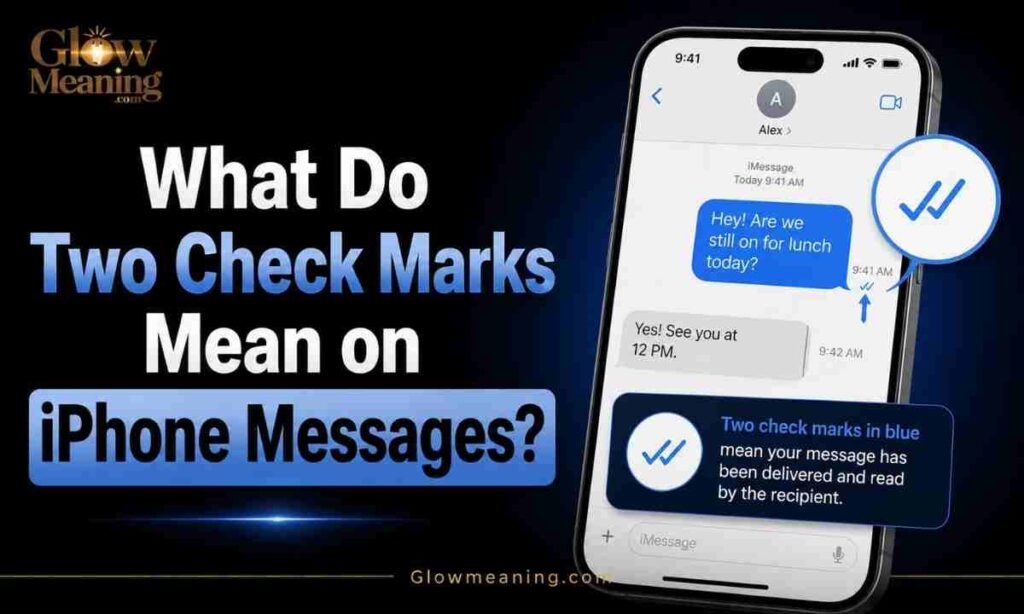
iPhones do not use check marks the same way Android does. iMessage uses text-based indicators rather than check mark icons. “Delivered” means the message reached the recipient’s device, and “Read” means the recipient opened the message but only if they have read receipts enabled.
Check marks are mostly seen on iPhone in SMS or MMS situations when texting non-iPhone users. So if you are an iPhone user and you see check marks, you are likely using a third-party app like WhatsApp, not iMessage itself.
Why Do Some Messages Show One Check Mark Instead of Two?
One check mark on WhatsApp could appear if their phone is off, they are in a no-service area, or if there is some kind of network delay.
In simple terms — your message left your phone, but it has not reached their device yet. This is temporary and usually resolves once they come back online.
Why Is There No Check Mark on My Text Message?
If you do not see any symbols at all, that generally means either you or the recipient does not have RCS advanced chats enabled. In these cases, your conversation defaults to the older SMS or MMS protocol as a fallback.
No check marks can also happen when:
- Your internet connection is unstable
- The app is not fully updated
- The recipient’s phone is powered off
What Do Two Check Marks and a Lock Symbol Mean?
Some messaging apps, including WhatsApp and Google Messages, show a small lock icon alongside check marks. This lock symbol means your conversation is end-to-end encrypted meaning only you and the recipient can read the messages. No one else, including the app itself, can access them.
It is a privacy and security feature, not a warning. If you see a lock, that is actually a good sign.
Difference Between One Check Mark and Two Check Marks
| Feature | One Check Mark | Two Check Marks |
| Message sent? | Yes | Yes |
| Message delivered? | No | Yes |
| Message read? | No | Only if blue/colored |
| Recipient online? | Possibly offline | Likely online |
| Works with RCS/WhatsApp? | Yes | Yes |
Do Two Check Marks Mean Your Message Was Read?
Not always. Two gray check marks mean the message was delivered to their device. Only two blue or filled check marks confirm it was actually read — and only if read receipts are enabled.
This surprises a lot of people. Delivered and read are two completely different things in messaging.
Two Blue Check Marks on Text Messages
Two blue check marks are the most significant status indicator in apps like WhatsApp. Blue double check marks on WhatsApp confirm that the recipient has read your message.
However, this only works if the recipient has not disabled read receipts. If they have turned them off, you will only ever see gray — no matter what.
Grey Check Marks vs Blue Check Marks Meaning
| Color | Meaning |
| Grey / Gray | Message delivered but not yet read |
| Blue | Message delivered and read |
Gray = arrived. Blue = opened. That is the simplest way to remember it.
Delivered vs Read Messages Explained
Many people confuse “delivered” and “read.” Here is the real difference:
Delivered means the message reached the recipient’s phone. It is sitting in their inbox, but they may not have opened it yet.
Read means they physically opened the conversation and saw your message. In WhatsApp, this turns your gray checks blue. In iMessage, it shows the word “Read” with a timestamp.
Common Messaging Symbols and Their Meanings
| Symbol | Platform | Meaning |
| ✓ (gray) | Message sent | |
| ✓✓ (gray) | Message delivered | |
| ✓✓ (blue) | Message read | |
| ✓ (gray, hollow circle) | Google Messages | Message sent |
| ✓✓ (gray, hollow circles) | Google Messages | Message delivered |
| ✓✓ (colored circles) | Google Messages | Message read |
| “Delivered” | iMessage | Message reached device |
| “Read” | iMessage | Message opened |
| 🔒 Lock icon | WhatsApp / Google | End-to-end encrypted |
Why Messaging Apps Use Check Marks
Before smartphones, SMS was a simple “fire and forget” system — you sent a message, but you rarely knew if it was delivered or read. With the rise of instant messaging apps like WhatsApp and Facebook Messenger in the early 2010s, there was a demand for more transparent message tracking. These apps introduced check marks and read receipts to improve communication clarity.
Check marks give users peace of mind and make conversations more transparent.
Read the complete guide here: NC Meaning in Text
Real Examples of Two Check Marks in Conversations
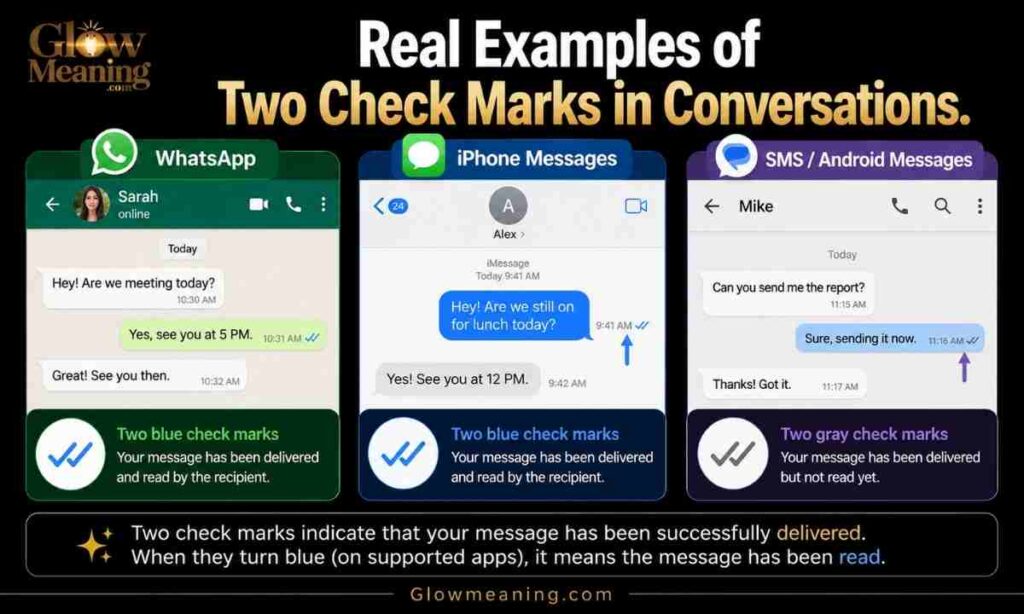
Example 1 — Waiting for delivery: You text a friend, “Are you coming tonight?” One gray check appears. Their phone is off. An hour later, two gray checks appear — their phone is back online and the message was delivered.
Example 2 — Message read: You message your partner, “Pick up some milk on the way home.” Two checks turn blue. They saw it. Whether they actually buy the milk is a different problem.
Example 3 — Read receipts off: You send an important work message. Two gray checks appear and never turn blue. The recipient may have read it but had their read receipts disabled — so you cannot know for sure.
Platform Differences Between Android, WhatsApp & iPhone
WhatsApp uses the gold standard for check mark logic: gray means delivered, blue means read. Google Messages mirrors WhatsApp’s system using circles instead of plain ticks. Samsung Messages follows the same Android and RCS conventions as Google Messages. iMessage uses text (“Delivered” / “Read”) rather than icons. Telegram uses one check for sent and two checks for delivered, with read receipts varying per user settings. Facebook Messenger uses a small circular profile photo to show the message has been seen.
Common Reasons Your Message Is Not Delivered
- Recipient’s phone is turned off
- No internet connection on their end
- They have blocked you (message stays at one check)
- RCS is not enabled on either device
- Network issues on the carrier side
If several hours or days have passed without your message going through, it is possible the recipient has blocked you.
Privacy, Encryption & Message Status Symbols
Privacy matters. Many users turn off read receipts so senders cannot tell when a message has been read.
On WhatsApp, you can disable read receipts by going to Settings, then Privacy, and toggling the Read Receipts option off.
The lock symbol, as mentioned earlier, signals encryption. In some project management or team apps, two check marks indicate a task or message has been completed — so context always matters when reading these symbols.
For a deeper understanding of how WhatsApp’s privacy and encryption features work, visit the official WhatsApp Privacy Help Center.
Frequently Asked Questions
What does two check marks mean in a text message?
Two check marks mean your message was successfully delivered to the recipient’s phone. It does not always mean they have read it.
Do two blue check marks mean someone read my message?
Yes, on WhatsApp, two blue check marks confirm your message was opened and read — but only if the recipient has read receipts turned on.
What does one check mark mean on WhatsApp?
One gray check mark means your message was sent from your phone but has not yet reached the recipient’s device.
Can someone read my message without turning my checks blue?
Yes. If the recipient turns off read receipts, your checks will stay gray even after they read the message.
Why do my messages show no check marks at all?
This usually means RCS is not enabled, or the conversation is defaulting to basic SMS or MMS, which does not support check mark indicators.
What does a lock symbol next to check marks mean?
A lock icon means the conversation is end-to-end encrypted, which is a privacy feature — not a problem.
Do two check marks mean the same thing on all apps?
No. The exact meaning varies by platform. WhatsApp, Google Messages, Telegram, and iMessage all handle message status indicators differently.
Conclusion
Two check marks on a text message are more meaningful than they look. They tell you your message successfully reached the other person’s phone a small but important piece of information, especially when you are waiting for a reply. Whether gray or blue, those tiny symbols carry a real message about delivery and privacy.
Understanding what these icons mean across WhatsApp, Android, Samsung, and iPhone helps you communicate with more confidence. Next time you see those two little ticks, you will know exactly what they are saying even before the other person types a word.

Professional content creator with 4+ years of experience in lifestyle, beauty, and meaningful digital storytelling through Glowmeaning.com.
