

You’re scrolling through your messages and suddenly see: “What Does Emphasized an Image Mean” No explanation. No extra context. Just that strange little notification sitting there.
“Emphasized an image.” No explanation. No extra context. Just that strange little notification sitting there.
If you’ve ever wondered what that means whether it’s on iPhone, Android, or even a cross-platform chat you’re not alone. Millions of people get confused by this every day. In this guide, we’ll break it all down simply and clearly, from iPhone Tapbacks to Android reactions, platform differences, emoji meanings, and everything in between.
What Does “Emphasized” Mean in Text?
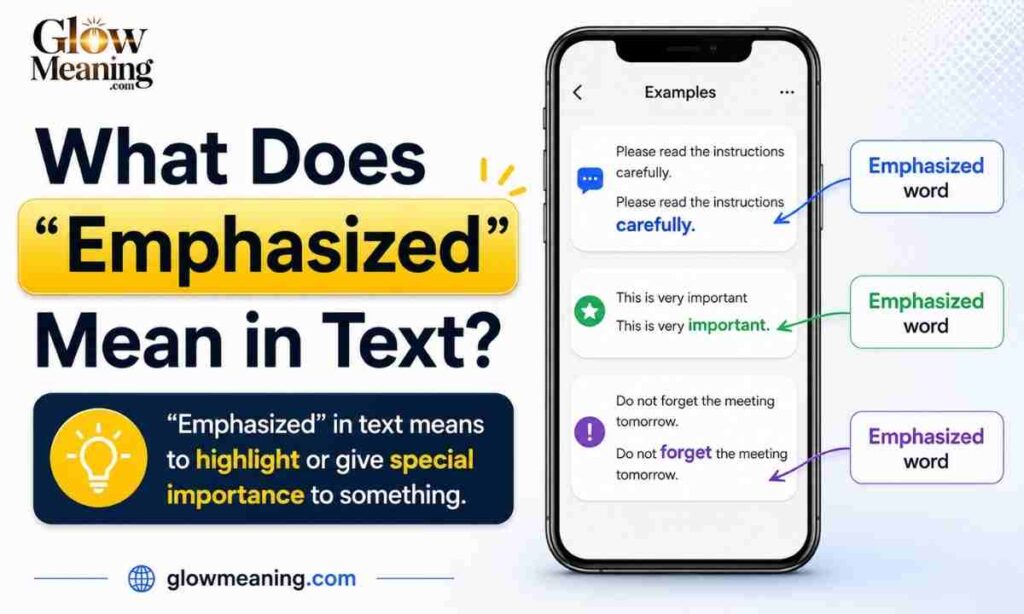
At its core, to emphasize something in text means to give it extra importance. You’re drawing attention to it, saying “hey, this part matters.” In everyday texting, emphasis can show up in a few different ways through reactions, formatting, punctuation, or even just tone.
The word itself comes from the idea of “stressing” a point. When someone emphasizes a message, they’re not ignoring it or brushing it off they’re doing the opposite.
Chat-Style Examples for Clarity
Here’s what “emphasize” can look like in a regular text conversation:
- “I want to emphasize — the meeting is TOMORROW, not Thursday.”
- “She emphasized that part three times. She really means it.”
- “He emphasized the whole message with the !! reaction.”
In each case, the person is putting a spotlight on something specific.
Why This Meaning? Tone & Emotion
The emotional weight behind emphasis is what makes it so powerful. When someone emphasizes your text, it usually means they’re reacting with strong emotion — excitement, urgency, agreement, or support.
It’s rarely neutral. Emphasis carries energy.
What Does Emphasized an Image Mean in Texting?
In texting, “emphasized an image” means someone reacted to a photo you sent using the Emphasize Tapback in iMessage. It’s not a typed reply — it’s a built-in reaction.
Instead of writing “wow!” or “omg this is amazing,” the person simply taps and holds the image and selects the double exclamation mark (‼️) reaction. The result? You see a notification that says: “[Name] emphasized an image.”
The “Emphasize” reaction is part of iMessage’s Tapbacks a feature introduced to add quick reactions to messages without typing a response. It’s a quick and expressive way to highlight a specific message, image, or emoji in a conversation.
What Does Emphasized an Image Mean on iPhone?
On iPhone, this happens through a feature called Tapbacks. Tapbacks were introduced to make your iMessage experience more exciting. Instead of replying with text or replying to a thread, you can add reactions to individual text messages within an iMessage thread.
The available Tapback reactions include: Heart ❤️, Thumbs Up 👍, Thumbs Down 👎, Haha 😂, Emphasized ‼️, and Question Mark ❓.
What It Looks Like
When someone emphasizes an image on your iPhone, you’ll notice a small ‼️ icon attached to the corner of that photo in the chat bubble. You may also receive a notification saying “[Name] emphasized an image.”
What It Means
The Emphasized reaction on iMessage is equivalent to the surprised emoji. You may use this reaction to show a sense of surprise or excitement.
So if someone emphasized a photo you sent, they’re basically saying: “This photo got a strong reaction out of me.” It could be excitement, shock, pride it depends on the image and the relationship.
What Does Emphasized an Image Mean iPhone to Android?
This is where things get a little tricky. iMessage Tapbacks are an Apple-exclusive feature. Android users can react using Google Messages (if RCS is enabled). However, reactions from iMessage will appear as text notifications like “Liked a message” or “Emphasized an image.”
So if an iPhone user emphasizes your image and you’re on Android, you won’t see a cute ‼️ icon. Instead, you’ll literally receive a text that reads: “[Name] emphasized an image.”
It can look bizarre if you don’t know what Tapbacks are. But now you do — it just means they strongly reacted to your photo.
Emphasized an Image Meaning Android
Android doesn’t have a native “Emphasize” Tapback the way iPhone does. Android uses emoji reactions instead no “emphasized” label appears.
On Android You Can:
- Use emoji reactions in Google Messages (if RCS is enabled)
- Add bold or underlined text in apps like WhatsApp or Telegram
- Use punctuation like ‼️ or CAPS to add emphasis manually
- React with expressive emojis to convey the same energy
In short, Android handles emphasis differently — but the goal is the same.
iPhone Emphasized Text Meaning
When someone emphasizes your text message (not an image) on iPhone, the experience is similar. You’ll see the ‼️ icon appear on the message bubble, and your notification panel might display: “[Name] emphasized [your message].”
This means they reacted to what you said — not just what you showed. The emphasized reaction can be used to point out a message again, show excitement, or express shock or surprise.
It’s a flexible reaction. The exact meaning always depends on context.
What Does Emphasized Mean on iPhone Text?
Simply put: on iPhone, “emphasized” means someone tapped the ‼️ Tapback reaction on your message.
It means they reacted strongly to what you said — similar to putting double exclamation marks (!!) on it.
It’s a one-tap way to say: “This matters. I feel strongly about this.”
What Does Emphasized an Image Mean From a Girl?
Context is everything here. If a girl emphasized your image, she’s reacting with strong feeling but whether that’s excitement, shock, admiration, or something flirtatious depends on the situation.
Here’s a quick breakdown:
| Scenario | Likely Meaning |
| You sent a funny photo | She found it hilarious |
| You shared exciting news in an image | She’s genuinely excited for you |
| You sent a selfie or fit pic | Could be admiration or playful flirting |
| Serious or emotional image | She wants you to know she noticed |
| Random image in a long conversation | Quick reaction, no deeper meaning |
Don’t over-read into it. The ‼️ reaction is casual and fast — but it always signals that she noticed and felt something.
What Does Emphasized Emoji Mean?
The emphasize emoji in iMessage context is the ‼️ (double red exclamation mark). It’s visually bold, attention-grabbing, and clearly signals intensity.
Emphasize Emoji Text Meaning
When someone sends ‼️ in a normal text (not as a Tapback), it usually means:
- “This is serious — pay attention”
- “I’m really excited about this”
- “I’m not kidding — take this seriously”
It adds emotional weight without needing extra words. One symbol says it all.
Other Meanings of Emphasize in Text
Beyond the Tapback feature, “emphasize” shows up in texting in several natural ways.
Exclamation Mark Reaction
Using !! or ‼️ in a message is the oldest form of text emphasis. It signals urgency, excitement, or strong agreement.
Bold or Highlighted Text
On platforms like WhatsApp or Telegram, users can bold text using asterisks (like this). It’s a formatting-based form of emphasis that draws the eye immediately.
Pointing Out Key Info
“I want to emphasize — bring your ID. The venue is strict.” Here, the word itself is used to flag that one specific detail matters more than everything else.
Clarifying an Important Part
Emphasis is often used to correct misunderstandings. “I said FRIDAY, not Saturday” is an example where stress changes the entire meaning of a sentence.
Emotional Reinforcement
Sometimes, emphasis isn’t about information it’s about feeling. “I really, truly, genuinely missed you” uses repetition and word choice as a form of emotional emphasis.
How to Emphasize a Text on iPhone
Emphasizing a message on iPhone takes just a few seconds:
- Open iMessage and go to your conversation
- Press and hold the message or image you want to react to
- A Tapback menu will pop up with six reaction options
- Tap the ‼️ (double exclamation mark) icon
- The reaction will appear on the message, visible to both of you
To remove the emphasis reaction, simply press and hold the same message again and tap ‼️ once more it’ll toggle off.
How to Emphasize a Text on Android
Android doesn’t have a built-in Tapback system, but you can still emphasize messages:
- Google Messages (RCS enabled): Press and hold a message → select an emoji reaction
- WhatsApp: Hold the message → tap the emoji icon → choose a reaction
- Telegram: Double-tap a message → choose a reaction emoji
- Manually: Use CAPS, ‼️, or bold formatting to add emphasis in your text
Platform Differences
Not every app handles emphasis the same way. Here’s a quick overview:
iMessage
Full Tapback support including the ‼️ Emphasize reaction. Shows “Emphasized a message” in notifications.
Uses emoji reactions (pressed and held). No “emphasize” label — just emoji icons on the message.
Emoji reactions on DMs only. No Tapback-style emphasis feature.
Snapchat
No message reaction system. Emphasis happens through text, CAPS, or emoji in the message itself.
TikTok
DM reactions use emoji only. No emphasized label or Tapback equivalent.
Messenger
Supports emoji reactions on messages. No specific “emphasize” feature, but the 😮 or ‼️ emoji serves the same purpose.
Workplace Platforms
Slack and Teams both support emoji reactions on messages. No “emphasized” label, but users frequently react with ‼️ to flag important messages.
When to Use Emphasize & When to Avoid It
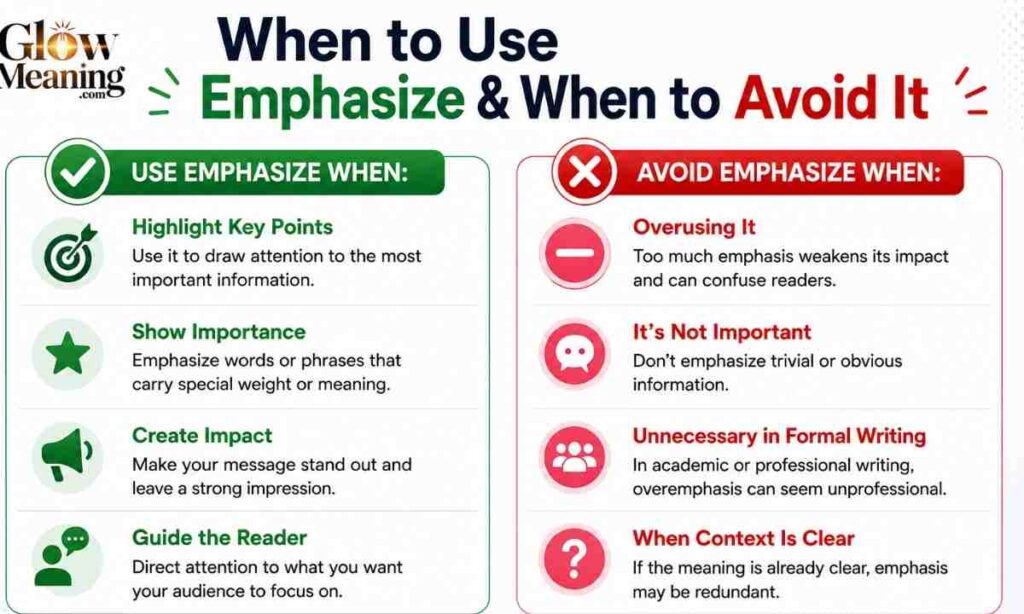
When to Use It
- To react quickly without typing a full reply
- When something genuinely surprises or excites you
- To acknowledge an important update from someone
- In casual, friendly conversations where reactions feel natural
When to Avoid It
- In serious or sensitive conversations it can feel dismissive
- When someone needs an actual reply, not just a reaction
- In professional iMessage threads unless you know the culture is casual
- If you’re unsure how the other person will interpret it
Real Conversation Examples
Important Reminder
A: “Don’t forget — we leave at 6 AM sharp.” B: Emphasizes the message Meaning: Got it. I acknowledge how important this is.
Correcting a Detail
A: “I said bring the blue folder, not the red one.” B: Emphasizes the message Meaning: Noted — I’ll fix that.
iMessage Reaction
A: Sends a photo of their new car B: Emphasizes the image Meaning: This is incredible — strong reaction!
Serious Discussion
A: “We really need to talk about what happened.” B: Emphasizes the message Meaning: I hear you. This matters to me too.
Sibling Chat
A: Sends a hilarious family throwback photo B: Emphasizes the image Meaning: I’m dying 😂 — this is too good.
Usage Table
| Context | Emphasis Method | Platform |
| Quick strong reaction | ‼️ Tapback | iMessage |
| Urgent reminder | CAPS or ‼️ in text | Any platform |
| Agreement or support | ‼️ emoji reaction | WhatsApp, Telegram |
| Correcting someone | Bold word + stress | Any platform |
| Flirty or playful | ‼️ Tapback or 😮 emoji | iMessage, DMs |
| Professional urgency | Bold text or ‼️ | Slack, Teams, Email |
Related Slang
If you enjoy decoding text lingo, these are some terms closely related to the “emphasize” world:
- Tapback — Apple’s built-in reaction system for iMessage
- React — General term for adding an emoji to a message
- Double tap — Used to like or react on many platforms
- ICYMI — “In case you missed it” — often used to re-emphasize something
- PSA — “Public Service Announcement” — used to emphasize an important point to a group
If you want to go deeper into internet slang, check out this helpful breakdown of what PSA means in text — it’s another way people emphasize announcements in group chats.
For more on how reactions work across platforms, Apple’s official support page explains all iMessage features in detail: Apple iMessage Tapback support.
Emphasise or Emphasize – Which Is Correct?
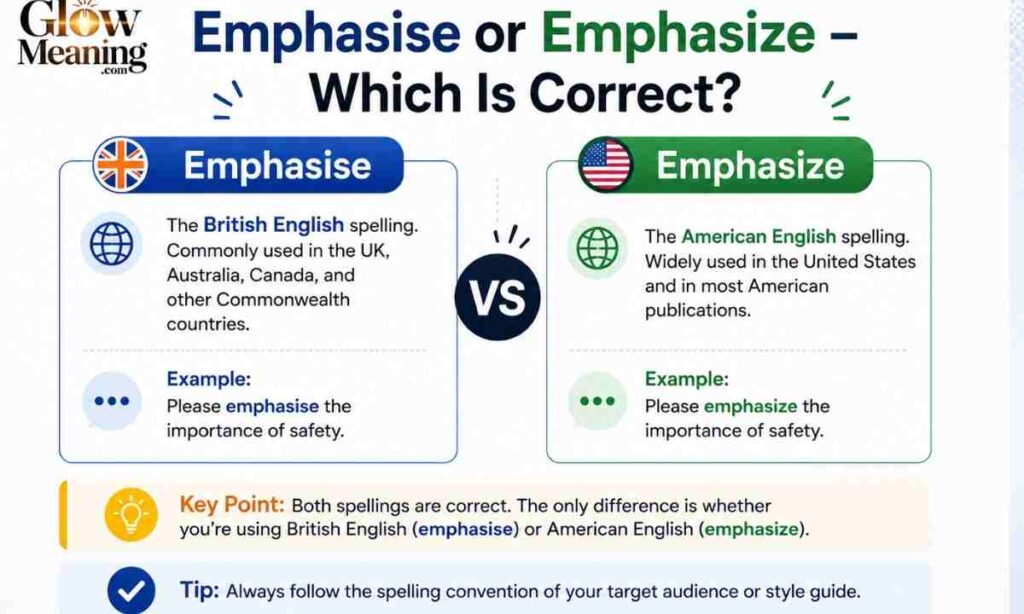
You might have noticed both spellings floating around online. Both are correct — they’re just regional variations.
American English
In the United States, the standard spelling is emphasize (with a Z). This is also the most common spelling in digital content and SEO.
British English
In the UK, Australia, and most Commonwealth countries, emphasise (with an S) is preferred. Same word. Same meaning. Just different regional conventions.
Frequently Asked Questions
What does emphasized an image mean on iPhone?
It means someone reacted to your photo in iMessage using the ‼️ Tapback reaction. It shows strong emotion like excitement, surprise, or appreciation.
What does emphasized an image mean in texting?
It means someone used the Emphasize Tapback (double exclamation mark) to react to an image you sent. It’s a quick way to express a strong reaction without typing.
Does emphasize mean someone is angry?
Not usually. It most often means excitement or urgency. But in tense conversations, it can occasionally signal mild irritation context is key.
Is emphasize the same as highlight?
They’re similar but not identical. Highlighting draws attention visually, while emphasizing adds emotional or informational weight to a message.
How do you emphasize a message manually?
You can use CAPS, bold text (where supported), ‼️ emoji, or repeating key words. These all signal that something important should not be missed.
Is emphasize formal or casual?
On iMessage, it’s casual. In professional writing or spoken word, “emphasize” can be quite formal it all depends on how and where it’s used.
What happens when an iPhone user emphasizes a message to an Android user?
The Android user won’t see a ‼️ icon. Instead, they receive a plain text notification that reads: “Emphasized a message” or “Emphasized an image.”
Conclusion
Now you know exactly what “emphasized an image” means — whether it popped up on your iPhone, came through from an Apple user to your Android, or showed up in a confusing notification. It’s simply the ‼️ Tapback reaction, and it means someone felt strongly enough about your photo or message to react instantly without typing a word.
The next time someone emphasizes something you sent, take it as a good sign. It means they noticed, they felt something, and they wanted you to know even if only through a tiny double exclamation mark. Communication has never been more expressive.

Professional content creator with 4+ years of experience in lifestyle, beauty, and meaningful digital storytelling through Glowmeaning.com.
